
How to Add a Chatbot to Your Website (Trained on Your Own Content)
LooperChat Team
5 min read




To add a chatbot to your website, sign up for a chatbot tool, give it your website pages so the AI learns your content, test its answers, then paste its script tag into your site before the closing </body> tag. With a tool that crawls your pages, the whole setup takes about 15 minutes and needs no coding beyond pasting one line.
This guide shows each step using LooperChat, which has a free plan. The steps are similar in most AI chatbot tools.
What you need
- Access to your website's HTML, theme settings or a tag manager, so you can paste one script.
- A list of the pages visitors ask about most: pricing, shipping, returns, FAQ, product or service pages.
- About 15 minutes.
Step 1: Create an account
Sign up for LooperChat and verify your email. A project is created for you automatically, and its home page links to each setup step below.
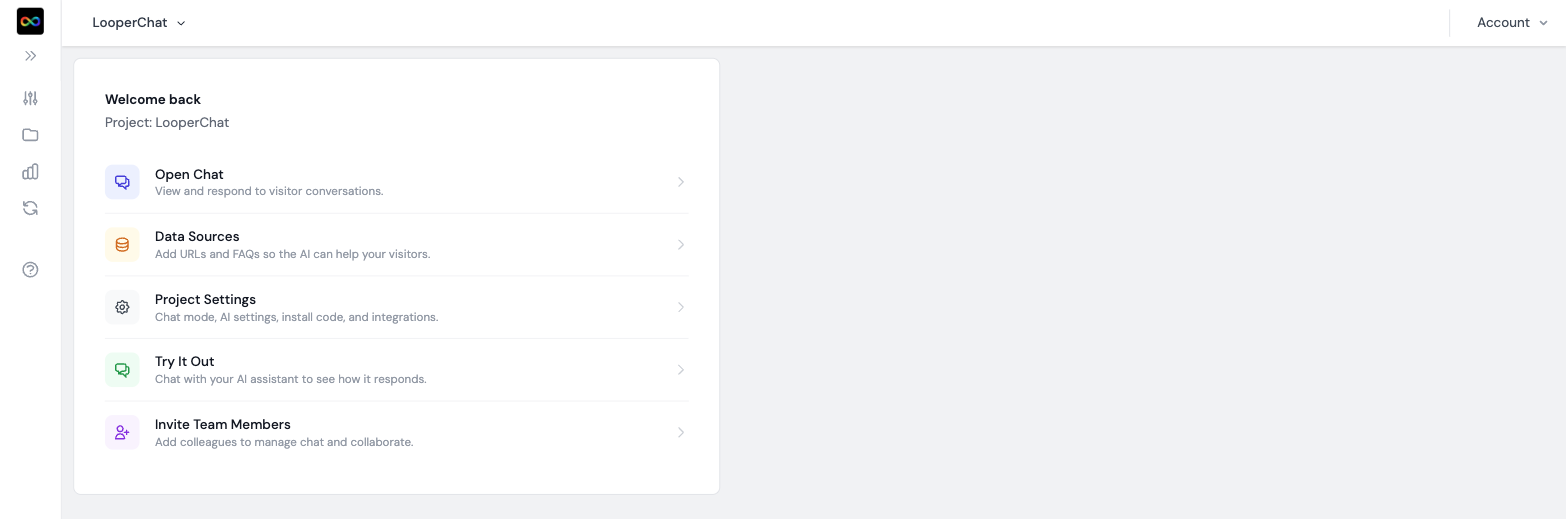 LooperChat project home with links to chat, data sources, project settings, preview and team invites
Step 2: Teach the chatbot your content
An AI chatbot only answers well from content you give it. This is called retrieval: the chatbot searches your pages before each reply instead of relying on what the AI model learned in general. (What is a RAG chatbot?)
- Go to Data Sources > URL and click New URL.
- Paste the pages you want the chatbot to learn, one per line, and click Add URLs. The pages are crawled and ready to use.
- Go to Data Sources > FAQ and add your 10 most common questions with exact answers. FAQs take priority over crawled pages, so use them for anything the chatbot must get exactly right, like refund rules.
- Go to Data Sources > System Prompts and edit the default prompt in one or two sentences, for example: "You are the support assistant for Acme. Be friendly and brief. Only answer questions about Acme. If you don't know, offer to connect the visitor with the team."
On the Business plan you can turn on auto-crawl with include and exclude patterns, so new pages are learned automatically.
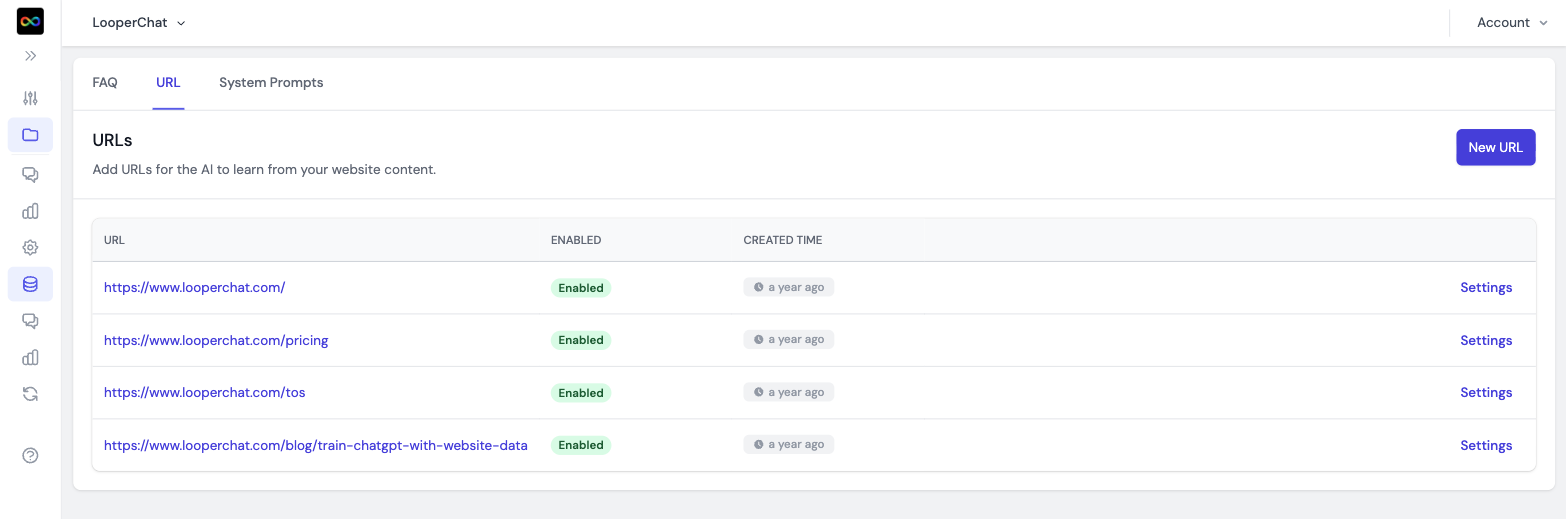 LooperChat Data Sources URL tab listing website pages the AI learns from
Step 3: Test before going live
- Open Preview in the sidebar. The chat widget loads in a test page.
- Ask the 10 questions you get most often by email.
- If an answer is wrong or vague, add the missing page or an FAQ entry, then click Reset and ask again.
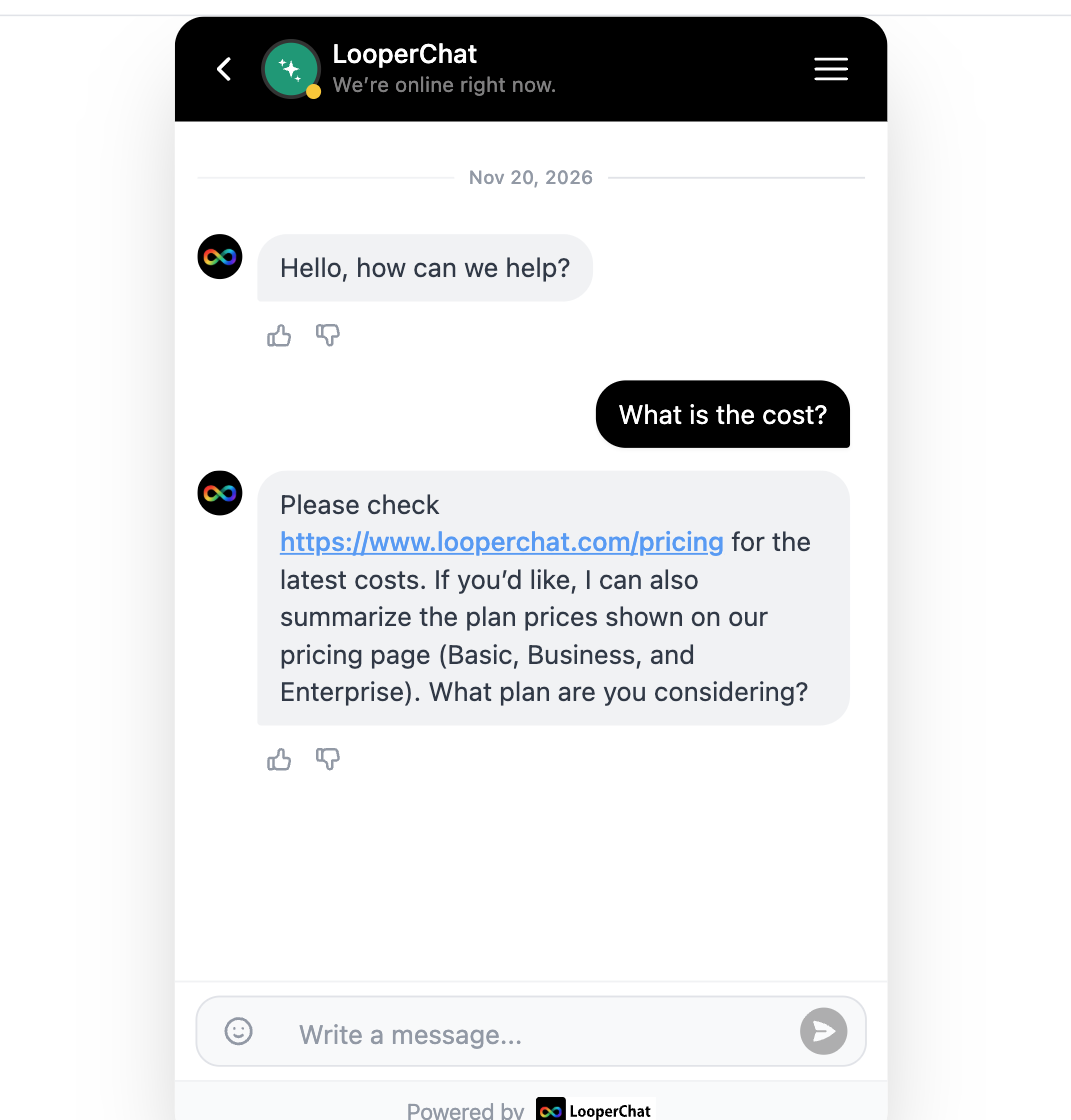 LooperChat preview widget answering a pricing question with a link to the pricing page
Step 4: Install the widget
Go to Settings > Install and copy the snippet with your project ID filled in:
<script id="looperchat-tag" src="https://tag.looperchat.com/chat/tag.js" data-license="YOUR_PROJECT_ID" defer async></script>
Where to paste it:
| Platform | Where |
|---|---|
| Any HTML site | Before the closing </body> tag on every page, or in your shared layout |
| WordPress | A header and footer code plugin, or your theme's footer template |
| Shopify | No code: install the LooperChat app from the Shopify App Store |
| Google Tag Manager | A Custom HTML tag that fires on all pages |
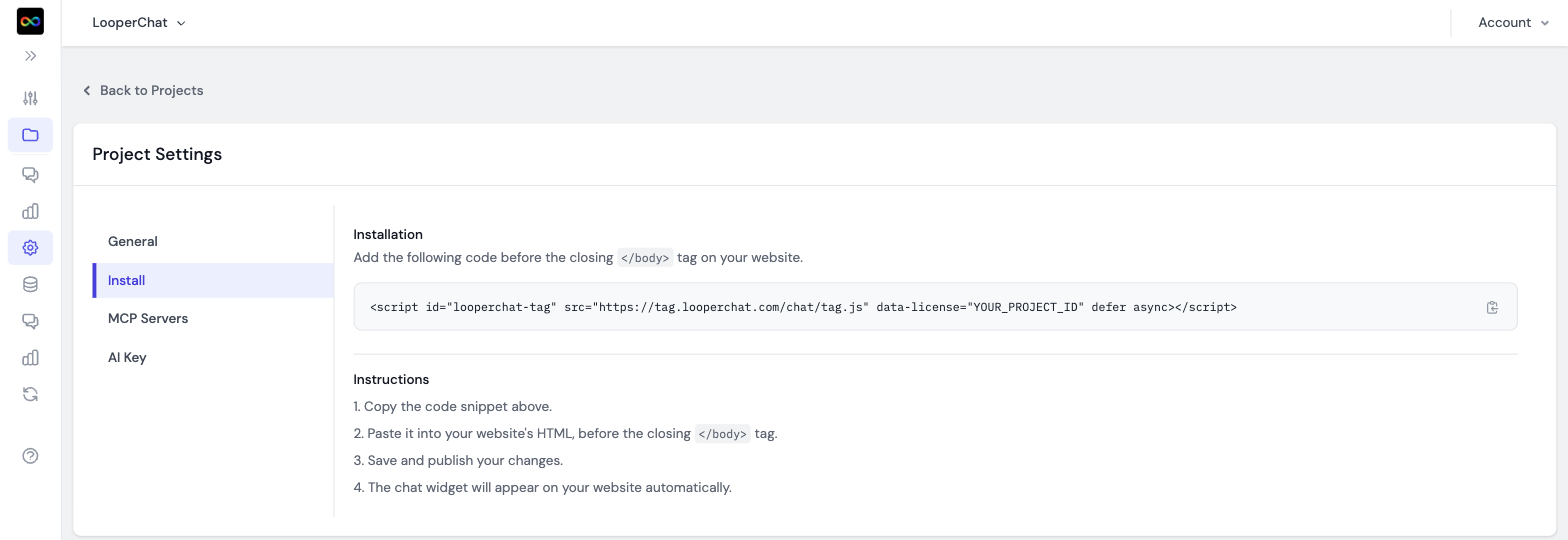 LooperChat Install tab showing the widget script tag and setup instructions
The script loads asynchronously, so it doesn't slow down your page.
Step 5: Match your brand
In Settings > General, set the main colour, logo, avatar, welcome message and position. You can also show the widget as a floating button or embedded in a page, hide it on mobile, or hide it when no team member is online.
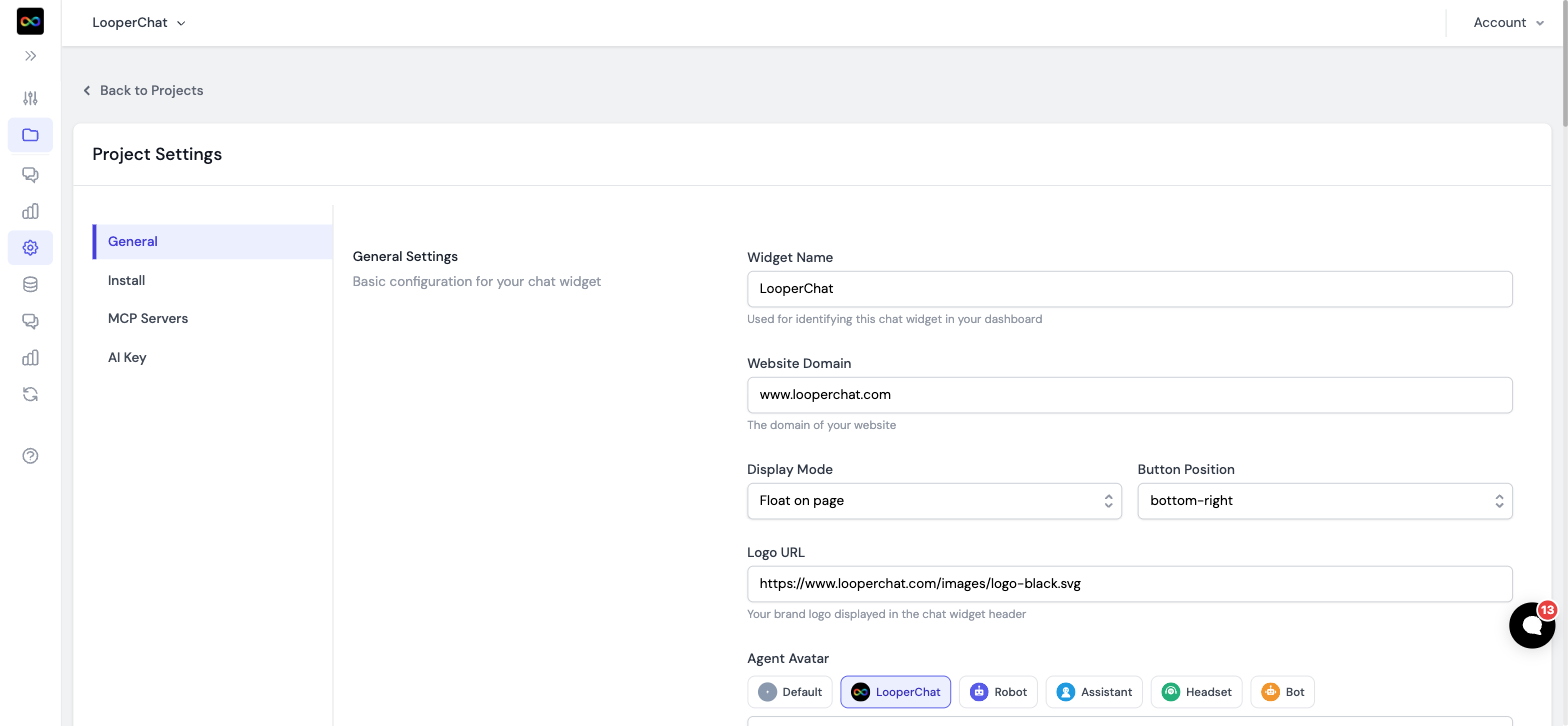 LooperChat General settings with widget name, website domain, display mode, button position, logo and avatar
After launch
 LooperChat chat inbox listing visitor sessions and the pages a visitor viewed
- Invite your team from Organization > Users & permissions so they can take over chats.
- Install the mobile app to answer handed-over chats from your phone.
- Read chat history weekly. Questions the AI couldn't answer show which pages or FAQs to add.
- Pass logged-in visitors' email with the identify call, so your team sees who they're talking to.
Common mistakes
- Adding only the homepage. The AI can only answer from pages you add.
- A long system prompt full of facts. Put facts in pages and FAQs; keep the prompt for tone and limits.
- No handoff. Visitors with a complaint want a person; make sure someone gets notified.
Ready to start? Create a free account: 500 AI and human replies a month, no card needed. See pricing for larger plans.